
Purchase any WEBINAR and get
10% Off
CODE: SAVE10
T&C applicable, please referFAQ
Validity : 18th Jun'26 to 28th Jun'26
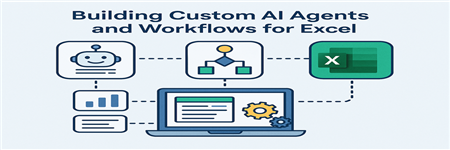
AI-powered tools are rapidly becoming part of the modern Excel ecosystem, but many professionals are still exploring how these technologies can be integrated into real reporting and analytical workflows. Microsoft 365 Copilot, Power Automate, and emerging AI agent capabilities offer new opportunities to automate repetitive work while still maintaining the structured processes required in finance, audit, and operational reporting.
This session explores practical examples of how these tools can work together to support everyday analytical tasks. Participants will see how an AI-driven workflow can classify receipt data into structured Excel tables, helping streamline expense reporting and reconciliation tasks. The session will also demonstrate how AI assistance can generate narrative commentary for variance reports and automatically populate executive-ready PowerPoint decks.
Because reliability remains one of the biggest concerns with generative AI, the session also introduces techniques for validating AI-generated outputs. Using Office Scripts, analysts can cross-check AI-generated calculations and totals before results are finalized or distributed.
Throughout the session, the focus remains on practical implementation rather than theory. Participants will learn how Copilot, Power Automate, and AI agents can complement traditional Excel workflows by reducing manual effort while preserving transparency and control.
By the end of the session, attendees will have a clearer understanding of how AI-assisted workflows can fit into existing reporting and analytical processes.
AI is evolving quickly, but many Excel users are still trying to determine what is genuinely useful versus what is simply hype. For analysts and finance professionals who rely on Excel for reporting and decision-making, the key question is how AI can fit into structured workflows without compromising accuracy or control.
In this session, Microsoft Excel MVP George Mount demonstrates practical examples of how Microsoft 365 Copilot, Power Automate, and automation tools can support real analytical processes. Rather than focusing on experimental uses of AI, the session explores concrete workflows that many teams perform every month.
Participants will see how AI agents can assist with tasks such as organizing expense data, drafting variance explanations, and generating executive-ready reporting materials. The session will also demonstrate techniques for validating AI-generated insights using Excel and Office Scripts to improve reliability and auditability.
By the end of the session, attendees will better understand how AI agents can support common reporting and analysis tasks while maintaining the structured processes that organizations depend on.

George Mount is the founder and CEO of Stringfest Analytics, a consulting firm specializing in analytics education and upskilling. He has worked with leading bootcamps, learning platforms and practice organizations to help individuals excel at analytics.
George regularly blogs and speaks on data analysis, data education and workforce development and is the author of Advancing into Analytics: From Excel to Python and R (O’Reilly Media, 2021). He is a recipient of the Microsoft Most Valuable Professional (MVP) award for exceptional technical expertise and community advocacy in the field of Excel.
George holds a bachelor’s degree in economics from Hillsdale College and master’s degrees in finance and information systems from Case Western Reserve University. He resides in Cleveland, Ohio.


